05 — Research
One device, no hand-offs
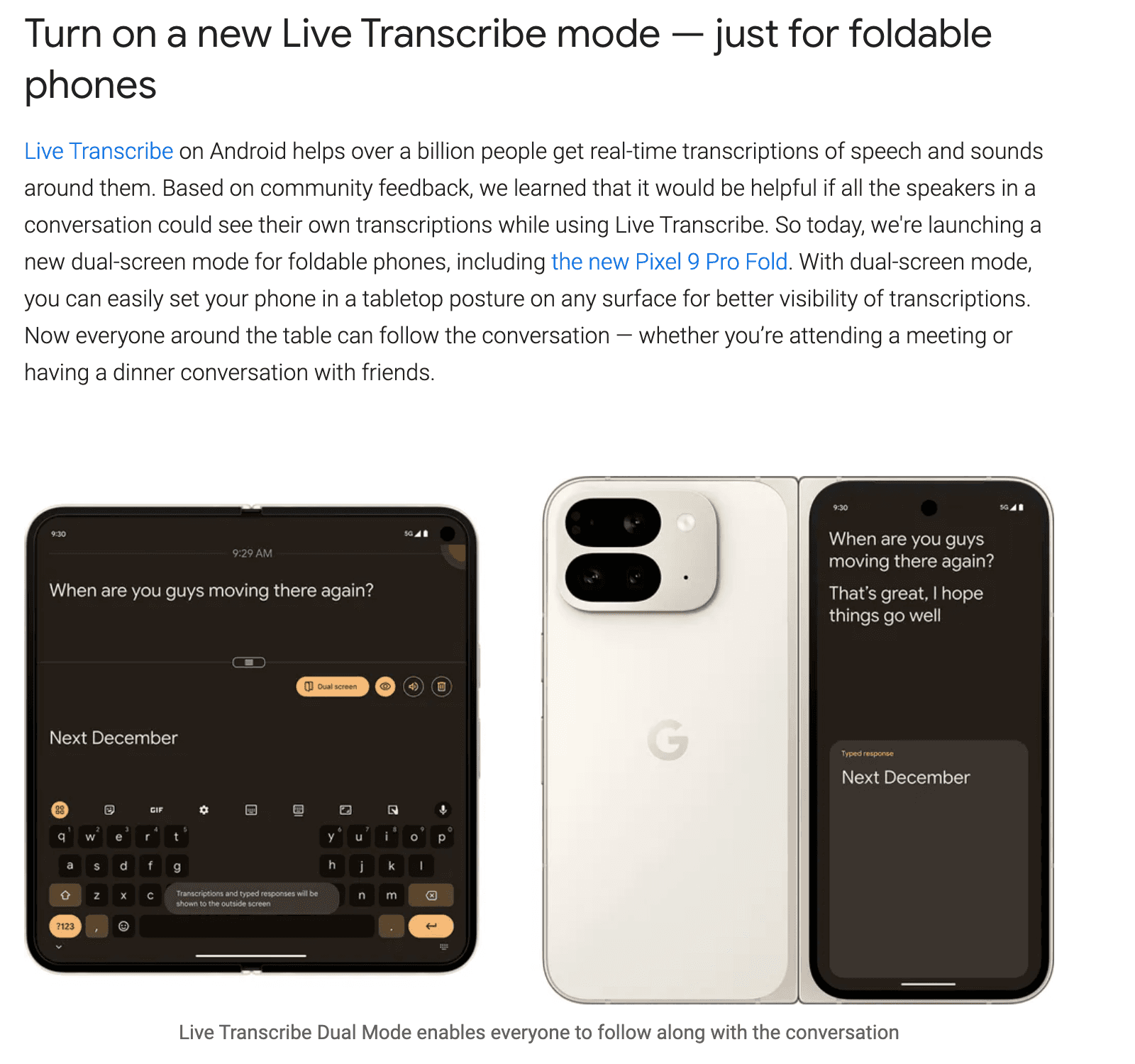
Partner research with Samsung showed how hard it is to use Live Transcribe on a single device. Users were juggling phones and handing devices around to keep conversations going.
“When I talk with others, I use Live Transcribe on the Galaxy and insert text on my iPhone to show others. It’s really hard to have a conversation with one device handing here and there.” — Research participant
Research insights
- Users didn’t want to use multiple devices
- Users don’t like handing their device to strangers
- Users were relying on other apps for voice / text-to-speech
06 — Journey
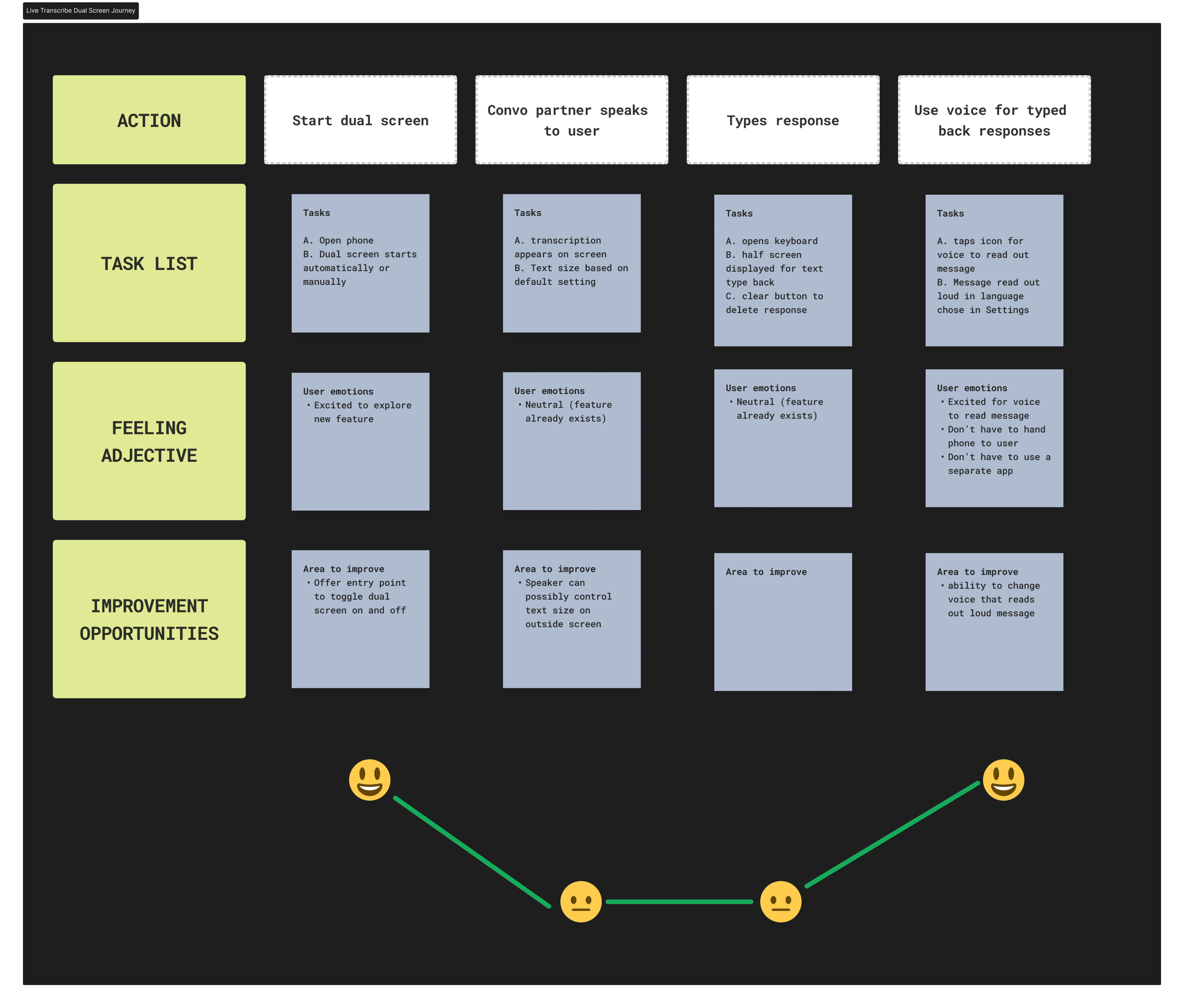
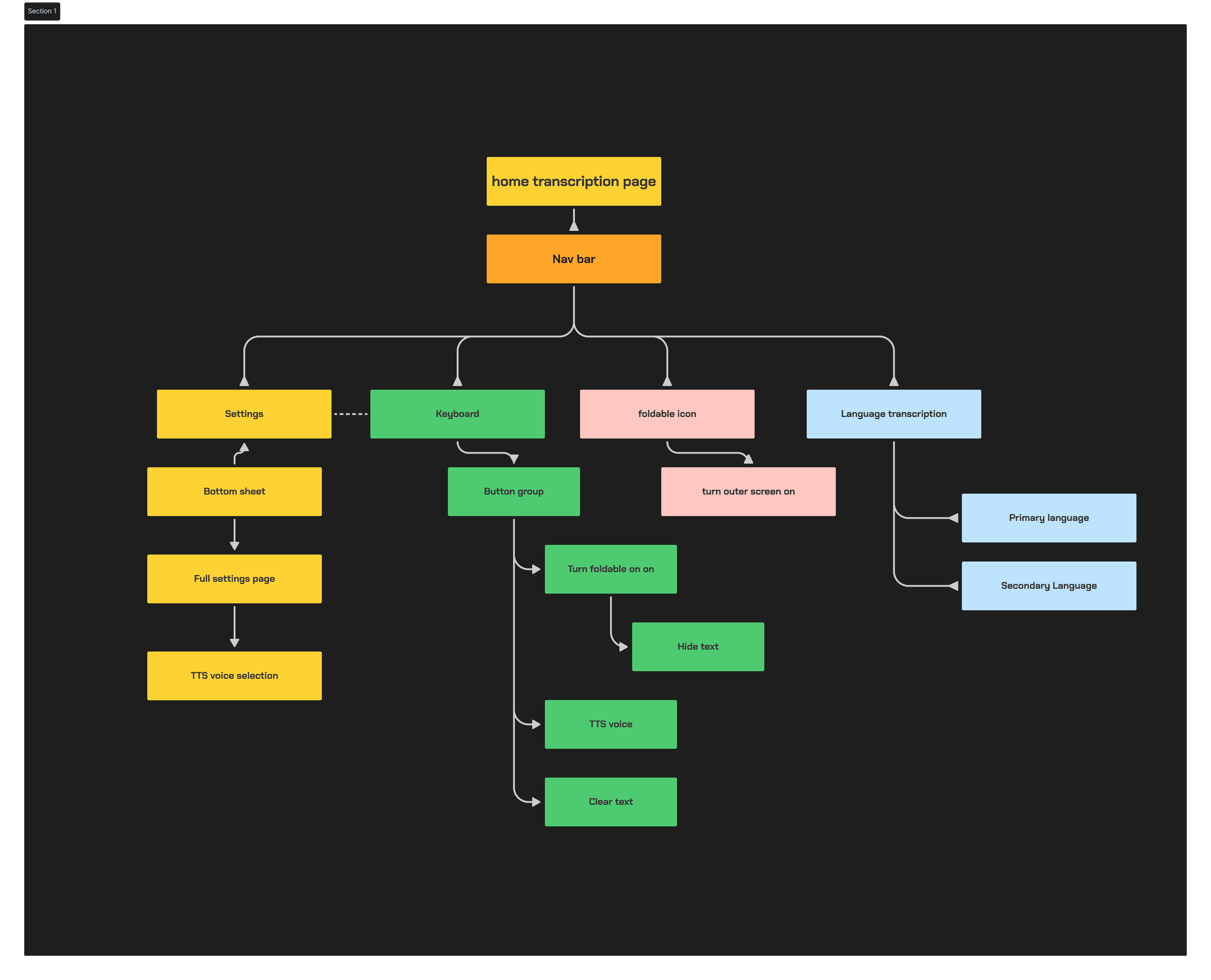
Mapping the dual-screen experience
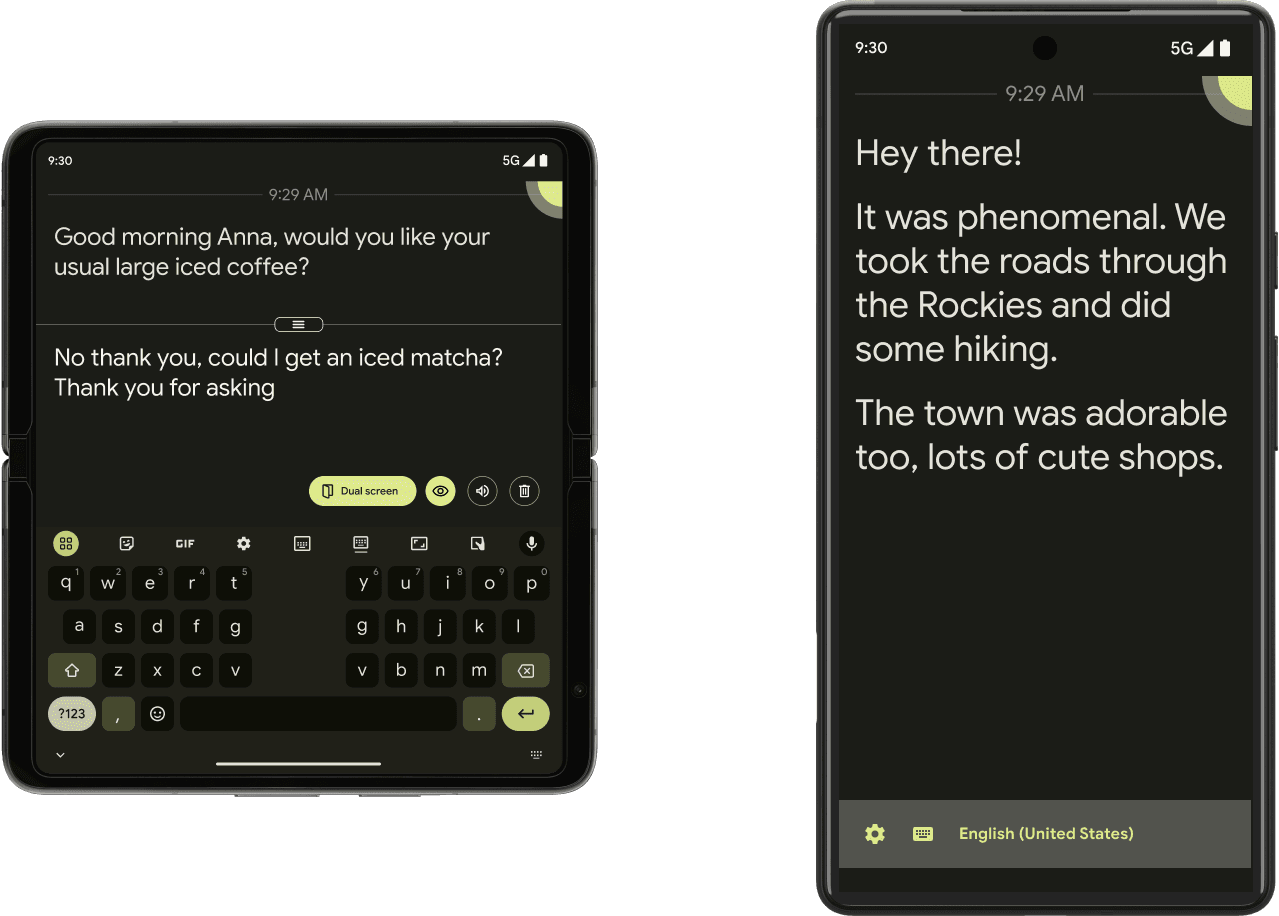
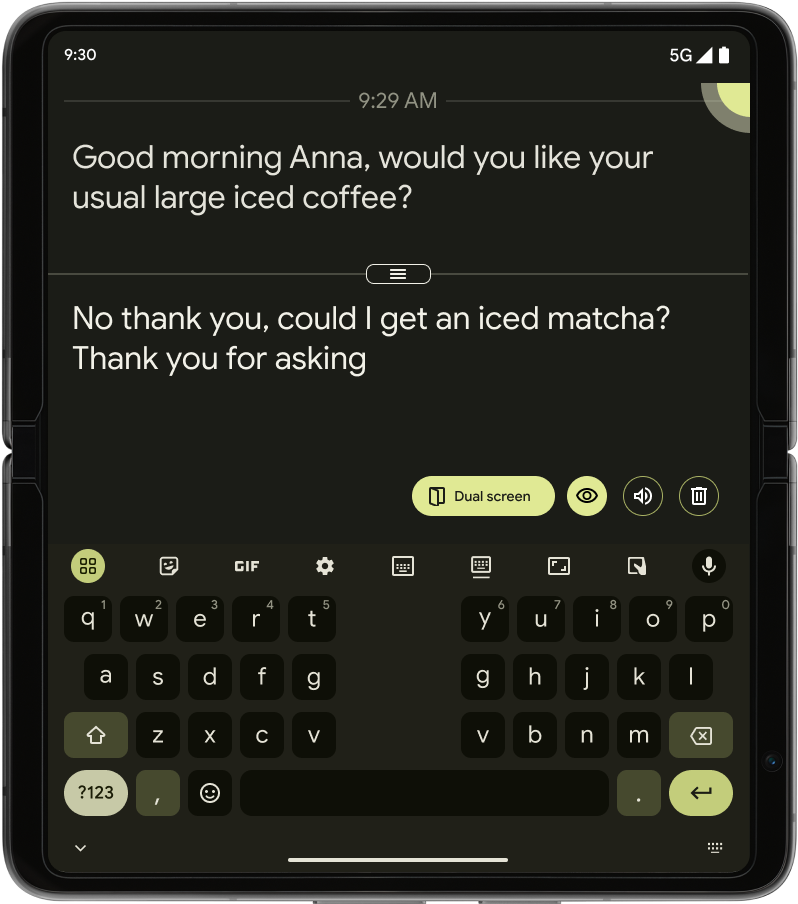
User journeys and IA work placed the feature where foldable posture made dual-screen mode discoverable — without disrupting core transcription.
07 — Form factors
Considering Samsung Z Flip
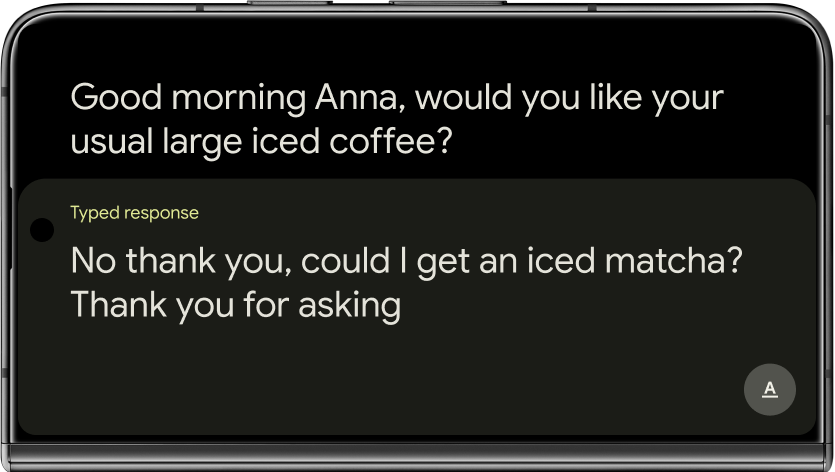
Designs covered inside and outside screens, plus a modified version for Samsung Z Flip’s smaller real estate. A delete control let users clear text quickly.
08 — Iteration
From Foldable Mode to Dual Screen
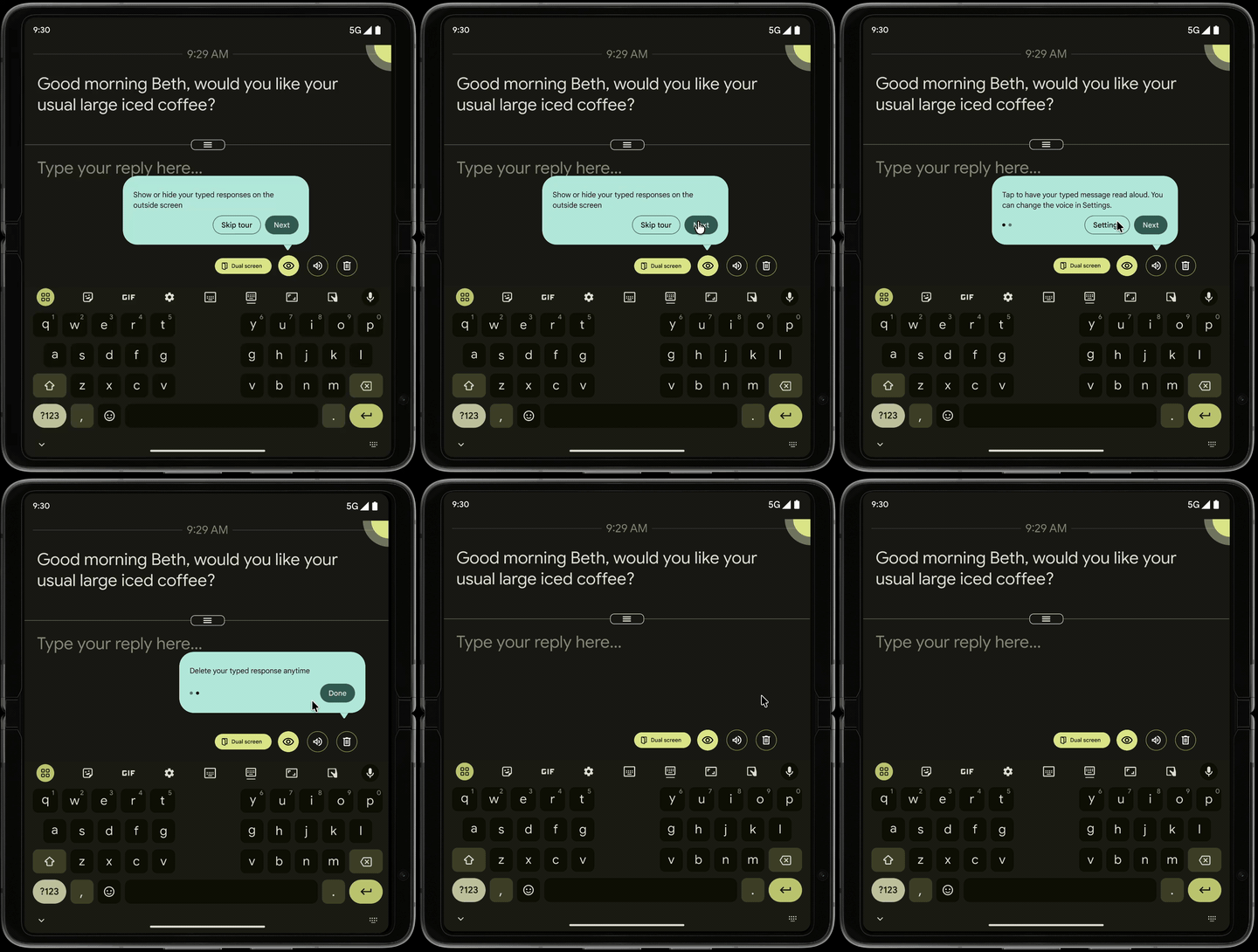
The dual-screen UI evolved across two named versions, then a first-run tooltip tour so icon-only controls still made sense without cluttering the shipped UI.
PROJECT_LT // DUAL_SCREEN_ITER.LOG
03 PASSES
Design iterations
> foldable mode → dual screen → first-run tooltips
-
PASS_01 / FOLDABLE MODE
— □ ×

-
PASS_02 / DUAL SCREEN
— □ ×
-
PASS_03 / FIRST USE
— □ ×
09 — Lessons
What I carry forward
- Stay aware of form-factor constraints while implementing
- Speaking engineers’ language speeds the development process